
 By Asfand Yar Khan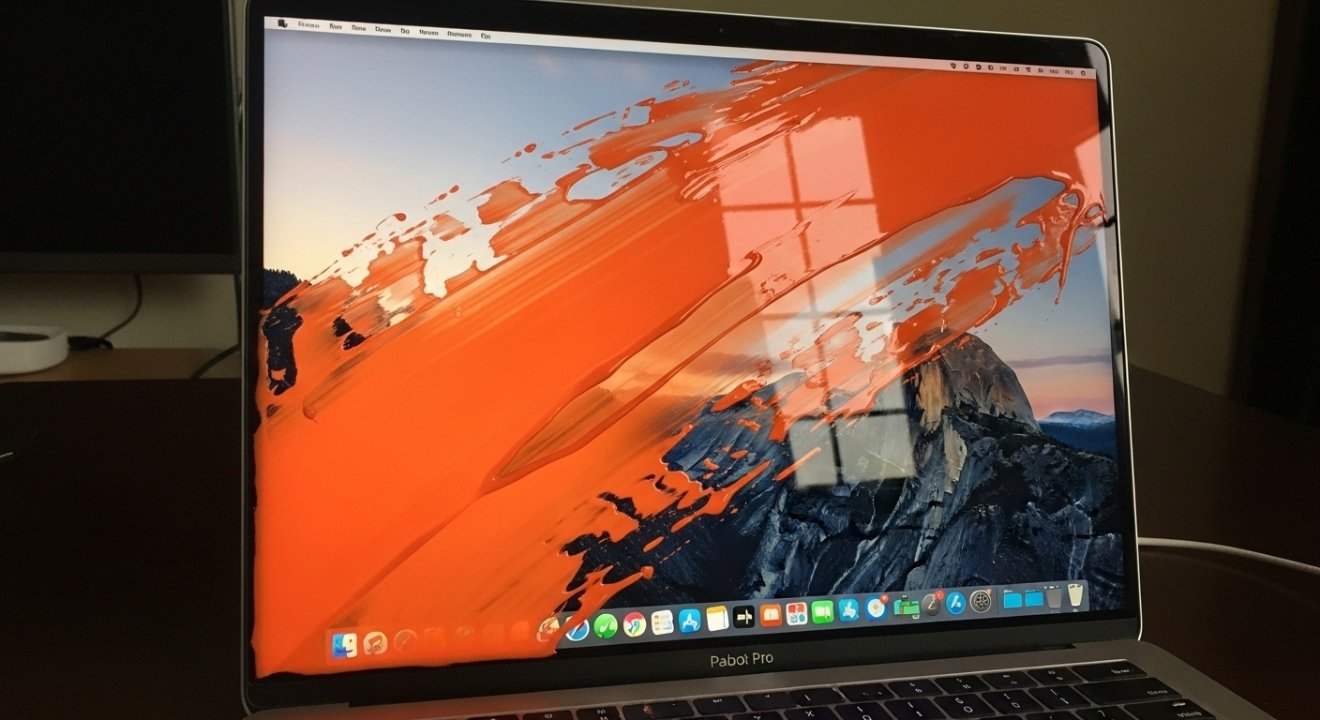
Have you noticed an orange smudge on your MacBook Pro screen? You’re not alone. Many users experience this frustrating issue, and it can leave you wondering what’s going on with your beloved device. Is it a simple fix or a sign of something more serious? Whether you’re working from home, streaming your favorite shows, or tackling that important project, having a clear display is crucial to enjoying the full MacBook experience. Let’s dive into the causes behind that pesky orange smudge and explore how to tackle it effectively!
What Causes the Orange Smudge?
The orange smudge on your MacBook Pro screen can be puzzling. Often, it stems from a couple of common sources.
One primary cause is a malfunctioning display panel. Over time, components may wear out or become damaged, leading to discoloration. This can manifest as odd hues appearing on the screen.
Another culprit could be pressure marks. If you’ve placed heavy objects on top of your laptop or pressed down too hard while cleaning, this might create an unwanted smudge effect.
Additionally, thermal issues can play a role in displaying bizarre colors. Heat build-up inside the device can affect how colors render on the screen over time.
Liquid damage is always a concern for laptops. Even minor spills can lead to serious issues if not addressed quickly and properly.
Potential Fixes for the Orange Smudge
If you spot an orange smudge on your MacBook Pro screen, don’t panic just yet. There are several potential fixes that might help restore clarity.
Start by cleaning the screen gently with a microfiber cloth. Use a solution specifically designed for electronics or simply water. Avoid harsh chemicals as they can damage the display.
Next, check if the smudge disappears when adjusting brightness levels. Sometimes, changes in light can make blemishes more prominent.
If you’re still seeing it after cleaning and adjusting settings, consider resetting the NVRAM/PRAM on your MacBook Pro. This could fix minor display issues caused by software glitches.
Should these steps not work, try running a hardware diagnostic test using Apple’s built-in tools to rule out deeper problems. It’s always good to have data before heading into repair options.
When Should You Worry About the Orange Smudge?
Identifying when to worry about an orange smudge on your MacBook Pro screen is crucial. If the stain appears faint and only distracts occasionally, it might not be a significant concern. However, take note if it worsens over time or expands in size.
A persistent smudge that doesn’t respond to cleaning efforts could indicate deeper issues. For instance, internal damage from liquid spills can lead to more severe complications down the line.
If you notice other symptoms like flickering or color distortion alongside the smudge, it’s time to act. These signs may hint at underlying hardware problems that require professional attention.
Trust your instincts; if something feels off with your display beyond just cosmetic imperfections, don’t hesitate to reach out for help. Ignoring these signals could lead to bigger headaches later on.
Tips for Preventing and Dealing with Screen Issues
Keeping your MacBook Pro screen in top condition is essential. Start with a microfiber cloth for regular cleaning. Avoid using harsh chemicals that can damage the display.
When you’re not using your laptop, close it to protect the screen from dust and scratches. Investing in a quality case or sleeve adds an extra layer of defense during transport.
Consider adjusting brightness settings based on lighting conditions. This not only improves visibility but also reduces strain on the display over time.
If you notice any smudges or discoloration early, address them promptly to prevent long-term damage. Regularly checking for software updates can also help maintain optimal performance, as these often include fixes for common display issues.
Be mindful of where you place your device; avoiding direct sunlight and extreme temperatures will prolong its lifespan significantly.
Conclusion
The appearance of an orange smudge on your MacBook Pro screen can be concerning. Understanding the potential causes and available fixes is essential for maintaining your device’s health and visual clarity. Whether it’s a simple issue like dust or something more serious, being proactive in addressing the problem can save you time and money.
If you notice that orange smudge, don’t panic right away. Assess whether it’s a minor annoyance or indicative of a larger issue. Regular cleaning and careful handling of your laptop are effective strategies in preventing such occurrences.
Staying informed about these common macOS issues will help keep your laptop functioning optimally while ensuring peace of mind as you work or enjoy entertainment on your device.